When “can you just send a quick email” turns into 47 requests, you need a system.
If you’ve been the marketing person for more than five minutes, you already know the problem.
Requests come from everywhere.
A Slack message here. An email there. Someone stops you in the hallway. Your boss forwards something with “thoughts?” Someone drops a sticky note on your desk like it’s 2003.
And somehow, you’re supposed to keep track of all of it — figure out what’s urgent, what’s waiting on someone else, what got lost, and what you said you’d do two weeks ago and definitely forgot.
For a long time, I did what most accidental marketers do: I made lists. I had a notebook. I had a spreadsheet. I had a sticky note system that made complete sense to me and zero sense to anyone else.
Then I started using Monday.com for Marketing Ops requests, and I want to tell you — it changed how the whole thing feels.
Here’s what that looks like.
The Problem With “Just Sending It to Me”
When marketing requests live in email, Slack, or someone’s memory, a few things always happen:
- Things get dropped because you forgot you said yes
- You have no idea what’s coming next week versus what’s due today
- People ask for updates and you have to go hunting through three apps to find an answer
- There’s no record of what you actually did, which means no way to push back when someone says “but marketing hasn’t done anything lately”
This isn’t a you problem. It’s a systems problem. And a request board fixes it.
What a Marketing Request Board Actually Is
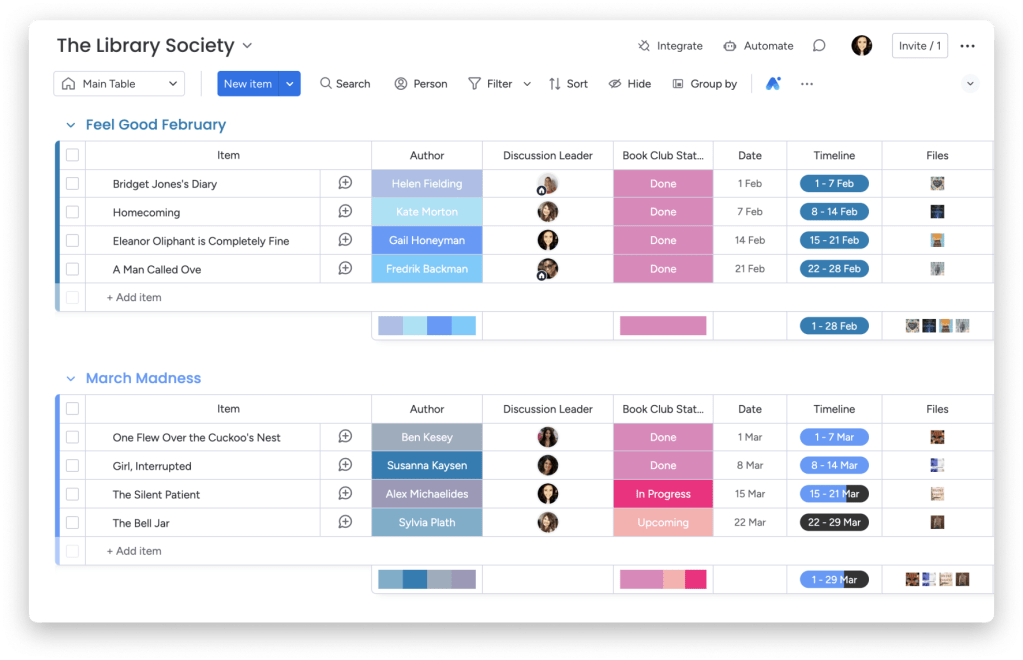
Think of it as a shared inbox that everyone can see — but organized like a project board instead of an email thread.
Every marketing request becomes a card. Each card has:
- What’s being asked for
- Who asked for it
- When it’s needed
- What stage it’s in (new request, in progress, waiting on someone, done)
That’s it. No more lost requests. No more “I thought you were doing that.” No more digging through Slack to find the original brief.
Why Monday.com Works for This
There are a lot of project management tools out there — Asana, Trello, Notion, ClickUp. They all work. I use Monday.com specifically for marketing requests because:
It’s visual without being complicated. You can see everything at a glance — what’s new, what’s moving, what’s stuck — without clicking into a dozen different views.
Non-marketing people actually use it. This is huge. If the tool is too complicated, people go back to emailing you. Monday.com is intuitive enough that your boss, your sales team, your volunteers — whoever sends you work — can actually figure it out and submit requests themselves.
The forms feature is a game changer. Instead of getting half-baked requests with no brief, you can create a simple intake form. People fill it out, it lands directly on your board as a new card. Structured, complete, no back-and-forth.
It connects to everything. Slack, email, Google Drive, Zoom — most of the tools you’re already using. A new request can trigger a Slack notification. A completed task can send an automatic email. It plays nicely with the rest of your stack.
What the Basic Setup Looks Like
You don’t need a complicated board to start. Here’s a simple version:
Four columns is all you need to begin:
- New Request — just came in, not started yet
- In Progress — you’re working on it
- Waiting — blocked on someone else (approval, assets, info)
- Done — completed and delivered
Each request card captures: what’s needed, who asked, due date, and any relevant files or links.
That’s a working system. You can add complexity later — priority levels, time tracking, workload views — but this alone will make your week feel dramatically more manageable.
The Unexpected Benefit Nobody Talks About
Here’s the part I didn’t expect: the board makes your work visible.
When everything lives in your head or your inbox, nobody sees how much you’re actually doing. You do 30 things a month and it looks like nothing because there’s no record.
When it lives on a board, leadership can see the volume. They can see what’s in progress, what’s waiting on their approval, and what you’ve shipped. That’s not just satisfying — it’s genuinely useful when it comes time to talk about resources, priorities, or your own workload.
A board isn’t just a task manager. It’s evidence.
Is Monday.com Free?
Monday.com has a free plan for up to 2 seats, which works if you’re a solo operator managing your own requests. Paid plans start from around $9/seat/month and unlock the intake forms, automations, and integrations that make it really shine.
For most small teams or organizations, the Basic or Standard plan is plenty.
Should You Try It?
If any of this sounds familiar:
- Requests come at you from every direction with no central place to track them
- You’ve dropped things because they got buried
- You have no way to show people what you’re actually working on
- You’re the only one who knows the status of anything
Then yes. A Monday.com request board is one of the highest-return things you can set up in an afternoon.
It won’t eliminate the chaos of being the accidental marketing person. But it will make the chaos manageable — and that’s honestly most of the battle.
Want a closer look at how to actually set up the board? I’ll do a step-by-step walkthrough in a future post — drop a comment if that would be helpful.
 Marketing by Accident
Leave a comment